Blog

  • Digital Marketing for Real Estate: Beginners Guide

    Digital Marketing for Real Estate: Beginners Guide

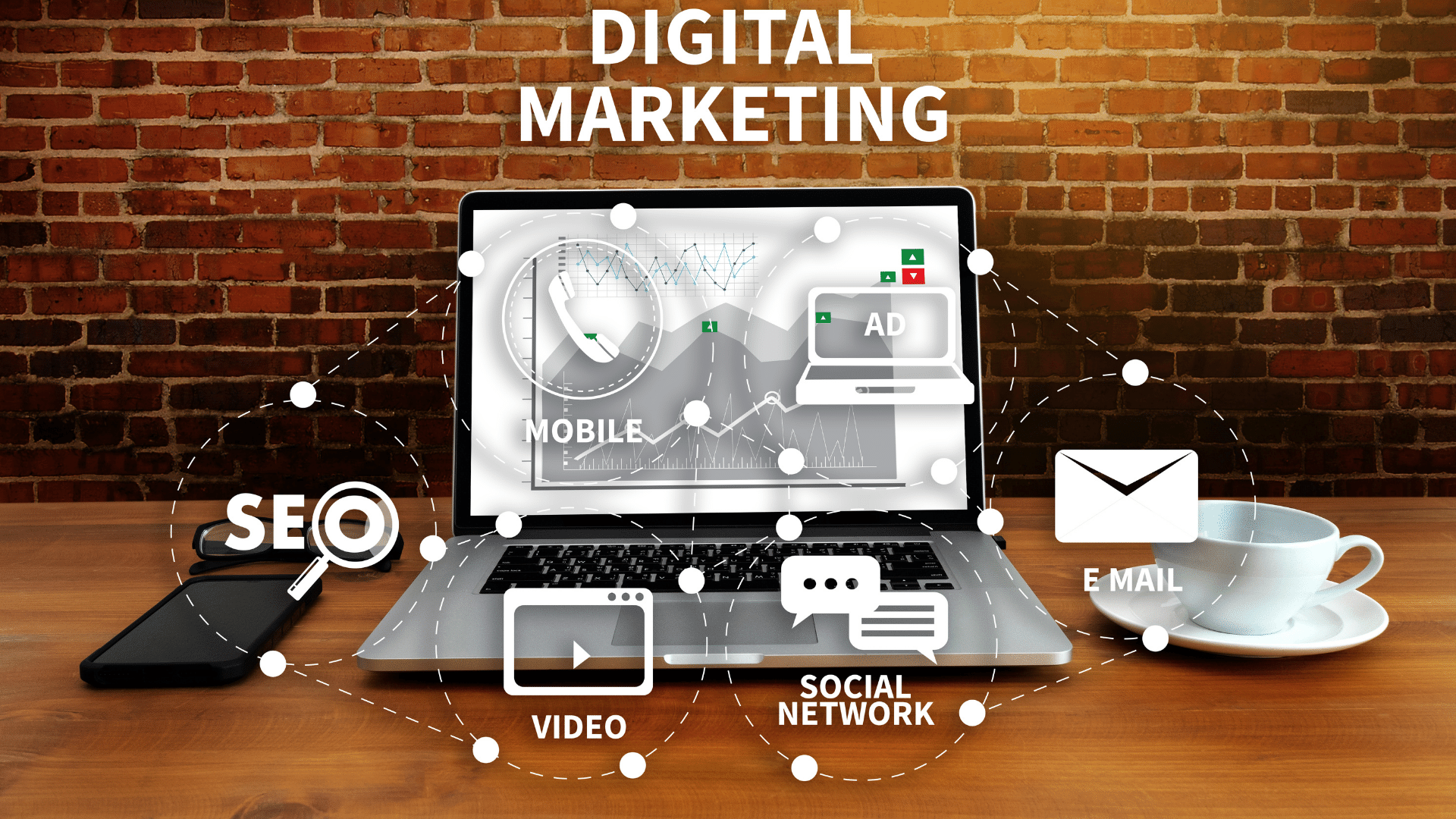
    Digital Marketing

    Disruptive technologies have led to a significant transformation in the real estate sector, just like many others. This movement has been accelerated by the current pandemic, which has only served to strengthen its efforts to create a new, better and more digitized model for real estate operations.

    Rapid innovation has made it possible to streamline every stage of the real-estate buying process, whether that’s searching for listings on realty aggregators, applying online for financing options, or even showing virtual houses in exchange for real ones.

    It should not surprise that digital marketing is essential for the success of fast-changing industries such as this. We have compiled some of the most powerful marketing strategies that you can use to help your business grow and ensure its future success.

    1. Create Real Estate Videos

    The shift towards video content is the one trend that will redefine real estate marketing. Agents must have a solid video marketing strategy if they want to remain competitive in this highly competitive market.

    Video enhances every stage of the real estate buying process. Photos and written content no longer work when it comes to attracting potential clients to your properties. Listings that include a video receive 403% more inquiries than those which do not. Listing videos should be professionally done to attract potential buyers.

    Videos can also be a great way to build your brand and connect with potential customers. Your target audience will trust you if you create educational content that is valuable. Educational video content can be a personal and effective way to show your expertise on the local housing market. Educational videos offer agents a great opportunity to show their expertise and knowledge.

    Your videos should be promoted on the same platforms as your content. Agents should aim to have a presence on at least one social media channel in order to maximize exposure. Your following will draw attention to your content, regardless of whether it’s LinkedIn, Facebook or YouTube. Though the growth strategy for each social media platform differs, here are some tips to get you started on the channel of your choice.

    If you prefer to get your content out there faster, you can use Ads on social media platforms. This allows you to bypass the hurdle of building an organic audience, and puts your videos in front of your target audience quickly. Here’s a helpful guide to get you started with Facebook Ads.

    1. Optimize social media accounts

    This brings us to the next point. You probably already have business accounts on many or all social media platforms. Social media success is more than having an account. You’ll need an independent real estate social media marketing strategy to succeed in this increasingly competitive space.

    Recognize that every social media channel is different and can attract different types. This doesn’t mean you have to use the same content on all channels. However, you can adapt the content depending on which platform it’s being posted on. You can save an infographic you create to post on your website in several formats.

    Your success stories will help humanize your brand.

    You should engage users and not just post content. You should check for potential leads’ comments at least once per day, and then respond immediately. Social media should serve as a channel for communication with potential clients, not a showcase for your business.

    Use relevant hashtags to increase traffic to your social media posts. You should not only use generic hashtags like #realestate or #housing. Also, do your research on hashtags that are specific to your area and niche. This will allow you to attract more people to your posts, and therefore generate more leads via social media.

    1. Take Virtual Tours of Listings

    According to a study from Realtor.com, listings which offer virtual tours receive 87% more views than properties which don’t have any. It’s not surprising, considering the rapid rise of virtual reality and the current pandemic.

    Even if you aren’t tech-savvy, creating virtual tours of your properties is easy. Online software tools are available that will help you create professional-looking tours without spending too much money. In an increasingly digital world, property listings that only include photos and text descriptions are not sufficient.

    FACEBOOK

    Facebook still reigns as one of the most widely used online platforms by adults. The vast majority of users use it daily. This gives brands and businesses the opportunity to have maximum visibility when they implement a Facebook marketing strategy.

    Of all the tasks involved in Facebook marketing, the hardest part is often getting started. However, we have seven steps that will help you get your Facebook marketing off the ground.

    Continue reading to learn how you can get the most from this powerful social media platform.

    1. Set goals for Facebook

    Setting the right goals is the first step in any marketing strategy. This will serve as a benchmark against which to gauge the success of your Facebook strategy. To set goals you will need to do some research so that your plan can be achieved through Facebook.

    In the Sprout Social Index, we found that marketers on Facebook had a few top goals in mind:

    • 34% want to increase brand awareness
    • 21% want to increase community engagement
    • 11% want to increase sales and lead-generation

    These survey results can be a great place for you to start if your company doesn’t yet have Facebook goals. If your company has set goals for general marketing, you can look at how they overlap with your plans to market on Facebook.

    [av_blog blog_type=’posts’ categories=’46’ link=’category’ date_filter=” date_filter_start=” date_filter_end=” date_filter_format=’yy/mm/dd’ blog_style=’single-big’ bloglist_width=” columns=’3′ contents=’excerpt’ content_length=’excerpt_read_more’ preview_mode=’auto’ image_size=’portfolio’ items=’3′ offset=’0′ paginate=’yes’ conditional=” av_uid=’av-32qp0t’ custom_class=”]

    Setting Goals

    These are the most common goals businesses have for the year. Here’s how a Facebook strategy can help:

    • Quality sales increase: Better targeting is key to improving the quality of your sales. A well-planned Facebook marketing strategy will help you reach your target audience better. You won’t get more fish just because the pond is larger. Focus on the things you are most familiar with and use Facebook to increase your reach.
    • Adding value to your organization: Facebook can help you better nurture your customers, increase awareness and offer more resources to your audience. Facebook should be your first source of information.
    • Get a better pulse on the industry: Are your competitors always one-step ahead of you? With the help of Social media monitoring tools you can monitor, listen, and report on any social conversation that revolves around you, your industry, or your competitors. Before speaking, increase your listening skills.
    • More efficient recruitment: Nobody said that social recruiting is easy to use, but it’s growing in popularity. Social media can help you increase your recruiting efforts and reach top talent quicker. You can increase your chances of recruiting high-quality employees by using the social networks of your employees.
    • Smarter growth: A successful business will have a reduced churn rate, lower spend, and increased acquisition. Facebook can help with all of these aspects. Facebook can help you in areas, including increased targeting and ad spending. Addressing your Facebook marketing strategy will help you reach these goals.

    Follow-up: Keeping track of your progress is crucial.

    1. Know your Facebook audience

    It is important to understand who is on Facebook, and how your audience split looks before you decide which Facebook marketing strategies to use.

    After you have done that, spend some time familiarizing yourself with your Facebook demographics by using Facebook Page Insights.

    1. Engage your audience proactive

    They’re designed to be used as social media networks for sharing, discussing and conversing with others. You must remember the basic concept of what makes a social network. This means that engagement and conversation should not be neglected.

    Instead, be a community for the people you serve. 

    Facebook is a great place for industry discussions and chats, with your customers or with other people. While Twitter often gets all the limelight of being a social customer care mecca, don’t forget about Facebook too.

    You can help drive Facebook engagement by asking people to simply engage in the first place. You can’t wait for your followers and sit back. There are many ways to increase engagement, even though you can’t reach all people.

    GOOGLE

    1.Want to get yourself some free advertising on Google? 

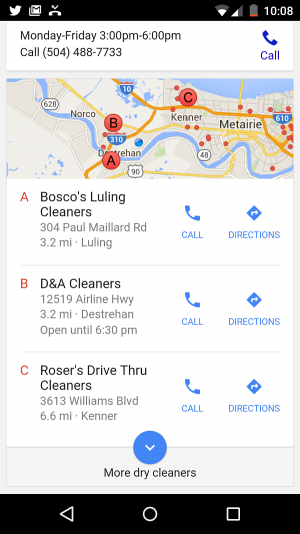
    All you have to do is claim your Google My Business listing (formerly known as Google Places), and your business can get featured in the search results (as well as in Google Maps). You can see that all of the businesses in the red call-out are local Google My Business results. A great thing is that none of these businesses paid for their position in the local results, unlike Google AdWords.

    If you haven’t already claimed your Google My Business listing, you need to do so immediately. As Google guides you through setting up your listing, pay close attention, as you will want to fill out as much as possible.

    1. Google Webmaster Tools

    You want to know how healthy your website looks in Google’s eyes? Just set up a Google Webmaster Tools account. Google Webmaster Tools will notify you of any red flags that may prevent your site being found in search results. It also helps you analyze your search traffic to see how visitors are finding you.

    1. Google Suite: Slides, Slides and Docs

    Collaboration with other marketers in your team is possible. Google Suite is a set of great collaboration tools that you can replace your desktop software with. These are the links:

    • Google DocsWord documents
    • Google SheetsExcel spreadsheets
    • Google SlidesPowerPoint presentations
    • Google Forms for easy collection of simple survey responses

    Consider using them to share and collaborate on marketing data analyses, ebook or blog post drafts, marketing or SlideShare presentations, or surveys and polls. You can save your projects automatically and access them across all devices by downloading a mobile app.

    SEO and Digital Marketing

    SEO stands for Search Engine Optimization. It’s the process of getting traffic through the organic, editorial, and natural search results. It is the term used to describe the activity of improving search engine rankings. It’s essentially quality control for websites.

    It seems that there is no difference in SEO and digital marketing strategies. Both perform the same functions and have the same skills. Different titles only be used for marketing purposes. This is why we must take a close look at these concepts. SEO is really based as a subset of digital marketing.

    SEO can target various types of searches, such as image search, video search and news search engines. A sound SEO strategy can help position your website to be found at critical points during the buying process, or when people are looking for it.

    Various companies offer SEO services if you feel like you don’t have the time to invest in learning the ins and outs of the complex world that is SEO. While SEO pricing structures can vary wildly, finding one that works for you can be the key to unlocking your digital marketing strategy.

    Read our list of the top SEO tools for 2023

    Wrapping Up

    Having a solid digital marketing strategy is a must for the success of real estate agents. Using these tips, you’ll not only be able to draw more leads and establish a credible reputation, but you’ll also be able to stay ahead of the curve in an industry that’s particularly tumultuous during these tough times.


  • Getting Started with a Website

    Getting Started with a Website

    Basics of Creating a Website

    There are many reasons you may need a website. Building your very own web site is more than just purchasing a domain, finding website hosting and deciding what kind of website creation software you’ll use. Here’s your step by step tutorial on the way to create your first website.

    Have a Purpose

    Who, What, Where, When, and Why. These 5 W’s will be your site’s base so these are very important to begin with while building your site. Keep the main reasons in mind when choosing what your website is about.  Make sure that you are filling a need or correcting a pain point.  When doing so, think of Who, What, Where, When and Why.

    Have a Niche

    Locate your Niche Market More times than not, you are constructing a web site to create a profit. Research the market to see if it’d be profitable. Ensure you narrow down your idea.  Having a unique niche is critical for the success of your website.

    For instance: if you love your dog and wish to market pet supplies, you may want and narrow it down and specific products rather than attempt to sell all pet goods known to the animal world.

    Choose a Platform

    Pick Website Platform  With lots of website builders online, choosing a web platform is a balancing act between ease of use and functionality.
    Godaddy has a very popular website builder, but does have many limitations for more complex sites.  Wix is another alternative for getting a website up fast, but once again, has many limitations when it comes to search engine optimization.  For SEO, many SEO agencies choose the WordPress platform because of its flexibility and ability to rank well.

    website design process

    Choose Your Registrar

    Select your Registrar  There are plenty of hosting companies online you’ll have no problems. While you’re comparing web host businesses look at how much there is a domain purchase.

    Registering and buying a site domain name is simple as a lot of the hosting firms have particular deals with their hosting plans. The content of the vast majority of you site need to be original. You need to have content weaved into the pages, Even though there are lots of ways of getting content on your website.

    Choose Your Hosting

    Choosing Your Website Hosting.  Although you may choose to use the same hosting company that you have chosen as your registrar, that may not be the best option.  Although it is convenient to have your domain and website both hosted with the same company, you should choose your hosting based off of your needs.

    There are multiple types of hosting available for a new website.  The least expensive is shared hosting.  Shared hosting will also be the slowest in regards to how fast your website will be to users.  For a step up in shared hosting, you can usually purchase more RAM.  More advanced hosting includes VPS – which are Virtual Private Servers and are substantially faster than shared hosting but usually require some knowledge of operating a server.

    If you have chosen WordPress as your platform, most companies now offer WordPress Managed Hosting – which is generally pretty fast but has limited control of the server.  With WordPress managed hosting, the hosting provider keeps everything up and running for you.  Needless to say, this is only available for WordPress Websites.

    Search Engine Optimization

    SEO for your website. Spend some time to learn the basics of Search engine optimization as there are lots of great free tutorials online to assist you. Since each of your pages will probably become a landing web page, create sure that each page is optimized.

    SEO helps to generate web site traffic.  There are several methods to generate traffic to your site. You can run Facebook Ads, leverage Google Google Ads or attempt to rank organically.  Regardless, you should implement some basic SEO strategies.  Let the search engines know about your new site, write articles and publish with article directory sites, use social network Facebook, YouTube, twitter, etc. Building an internet site isn’t difficult, but you’ll have and put time, energy and even a bit of cash.

    Content Creation

    Adding copy to your website.  Start with keyword research to know what you need to write.  Take some time to discover how to do market and keyword research, help to define your niche, learn how to select an exceptional content for your website – as that is what your readers and search engines alike will see.

    Building your very own web site is more than just purchasing a domain, finding website hosting and deciding what kind of website creation software you’ll use. Here’s your step by step tutorial on the way to create your first website.

  • Post on Levitate Web Design

    [av_textblock size=” font_color=” color=” av-medium-font-size=” av-small-font-size=” av-mini-font-size=” av_uid=’av-k6twyc0b’ custom_class=” admin_preview_bg=”]

    Easy Instructions to Guest Post on Levitate Web Design

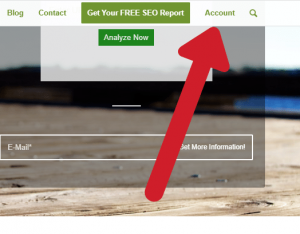
    1. Register and Login to Levitate Web Design. Scroll down briefly on the home page to see the Main Menu
      Scroll Down the Page until the Top Menu Appears. Register and Login.
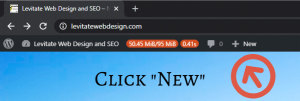
    2. When Logged in, Click New >> Post
             Choose New Post from the Top Menu when logged into WordPress
    3. Compose Post with either classic or blocks editor.
    4. Create internal and external links.
    5. Use Yoast Plugin to edit snippet and other information for on-page SEO.
    6. Publish your Article related to Web Design, SEO, and Internet Technology.

    [/av_textblock]

    [av_one_full first min_height=” vertical_alignment=” space=” custom_margin=” margin=’0px’ row_boxshadow=” row_boxshadow_color=” row_boxshadow_width=’10’ link=” linktarget=” link_hover=” title_attr=” alt_attr=” padding=’0px’ highlight=” highlight_size=” border=” border_color=” radius=’0px’ column_boxshadow=” column_boxshadow_color=” column_boxshadow_width=’10’ background=’bg_color’ background_color=” background_gradient_color1=” background_gradient_color2=” background_gradient_direction=’vertical’ src=” background_position=’top left’ background_repeat=’no-repeat’ animation=” mobile_breaking=” mobile_display=” av_uid=’av-2ikb81′]
    [av_button label=’Register Now’ link=’manually,https://levitatewebdesign.com/register/’ link_target=” size=’medium’ position=’center’ label_display=” icon_select=’yes’ icon=’ue871′ font=’entypo-fontello’ color=’theme-color’ custom_bg=’#444444′ custom_font=’#ffffff’ av_uid=’av-k6tx115h’ custom_class=” admin_preview_bg=”]
    [/av_one_full]

  • Mixed Content Issues

    Mixed Content Issues

    The Push for a More Secure Web

    Google is forcing websites to be labeled as secure.  They are doing this by leveraging the browser – Google Chome, to label non-secure sites directly in the address bar.  They are also speaking of making non-secure websites not able to be added to the Google index – which means that a Google Search won’t find your website.  This makes one of the most current SEO trends to be insuring a website is fully secure.

    Dealing with Mixed Content Errors

    As a web developer or an SEO professional one of the things you will inevitably have to deal with is the dreaded mixed content issues. For those still learning, mixed content is what happens when your HTTPS website either requests resources from an HTTP location such as an image, or when that HTTPS website has links on pages pointing to HTTP websites.

    I know what you are thinking, “But I installed an SSL”. Well, the SSL certificate does not automatically fix those images being pulled from HTTP when the website is now using the HTTPS protocol. Fixing the issues, for the most part, is not that difficult with the correct access to the backend of the website.


    Resolving Mixed Content Errors

    There are several ways in which these errors can be resolved. The most common are doing it manually or using a plugin that forces HTTPS on everything. When dealing with a situation where you do not have access to the file system on the server the plugin option is the only option that you may have. Having full access to the file system on the server gives more options other than the plugin route.

    WordPress Plugins

    When working with WordPress most people try to limit the number of plugins installed and/or active on the site at any given time. The more plugins you have, the better the chances of some of them being way out of date and creating security vulnerabilities. 

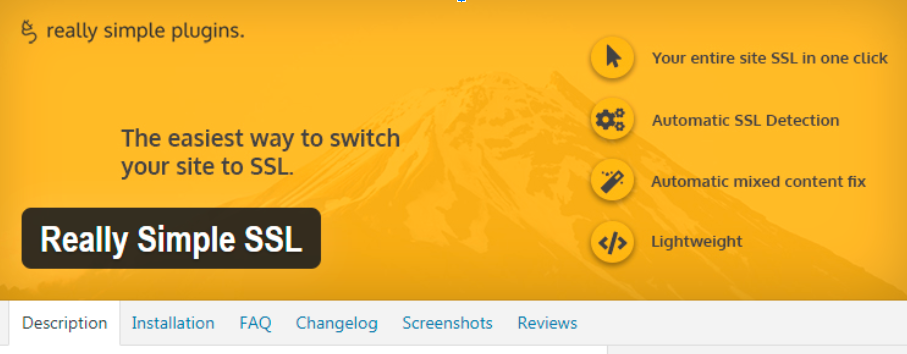
    If plugins are the only option you have then something like Really Simple SSL may provide all the features you need. It will force all URLs and resources to use the HTTPS protocol. Just know that plugins such as these are not always perfect. There are times where it will resolve 99% of all your HTTP/HTTPS issues. But, it may leave a thing or two untouched and forcing you to do some manual on page fixes. 

    really simple ssl plugin
    really simple ssl plugin

    Other Plugin Options

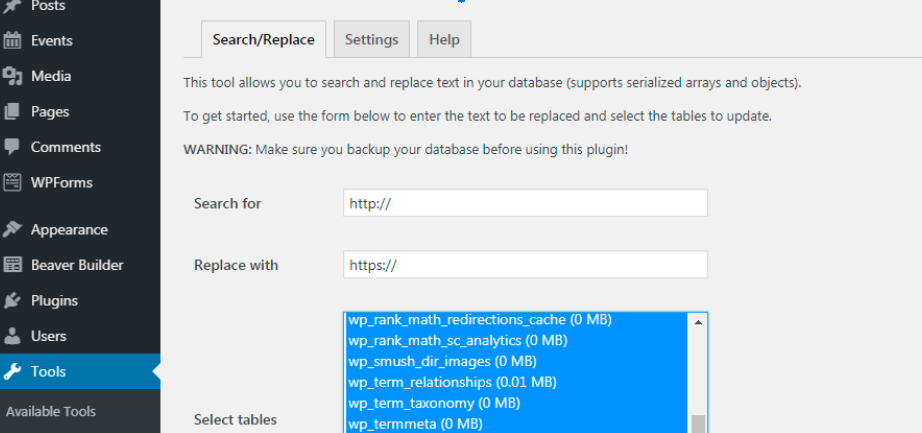
    Another plugin option that seems to work well but does pose some risk for the inexperienced would be a Find and Replace plugin that can edit the database. One such recommended plugin would be Better Search Replace.

    The nice thing about this one is that it has a preview mode where you can test your changes and it will show you how many items will be altered. This is great if you know or think you have around 15 URLs that you know are still going to HTTP addresses.

    If you test and the results come back with anything from 15-30ish URLs you can be confident that nothing will break if you commit those changes. I have also found that you can actually find all http:// entries and change every single one to https:// in one clean sweep.

    Do I need to say do a backup first? Work smarter, not harder. Keep the rookie mistakes to a minimum and always run a backup of your site before making any modifications.

    using better search and replace


    Manually Correcting Mixed Content Errors

    For those who possess Jedi web powers, you may prefer to do things manually and keep that WordPress installation nice and clean. Ok, maybe not “clean” but damn close to it. Using tools like SEMrush or SERPed will give you a report of all the mixed content on the site.

    Looking at your report you might see that of the 100 mixed content errors reported, it may be the same 10 or 15 things repeated several times across the website. It may show 100 items but you really only need to fix around 15. This can be done relatively fast, especially when you know or built the website to begin with. 

    SEMrush
    Mixed content errors are not extremely difficult to fix. At times they may be hard to find depending on the theme used for the website. Unfortunately, they are something that has to be addressed in order for your SSL Certificate to fully cover your site.

    Your choices are doing the work yourself or outsourcing to someone else. If you decide to do the work yourself make sure you create a backup before you start then take your time and check your work. Don’t forget to clear that cache if you have one.

    If you decide to hire outside help make sure they know what they are doing before handing over access to your website. In either case, you should be able to resolve all mixed content errors and secure the website with the SSL Certificate.

  • How Local SEO Can Impact Your Brick and Mortar Business

    How Local SEO Can Impact Your Brick and Mortar Business

    SEO aka Search Engine Optimization is a term that in this day and age every local business owner should recognize. If you don’t know, or are scratching your head trying to figure it out the acronym. You need to read this article and, chances are that your website — You do have one, right? — is likely only found if someone types in your URL directly. SEO is the means by which a website is optimized for search and everyday there are literally millions of searches that are performed on Google.

    Here are a few quick statistics:

    • There are over 7.5 billion local searches each month
    • 87% of people who search for a certain type of business are searching for local results and call or visit the business within 24 hours
    • Implementing local SEO into your marketing plan is 15 to 20 times more cost effective than compared with traditional SEO in terms of return on investment (ROI).
    • Previously, local businesses relied primarily on foot traffic and traditional forms of advertising to compete at the local level. However, more and more people are using search engines to find the local businesses around them.
    • The creation of Map Pack based, local SEO has become necessary to put a business on the map (figuratively and on map applications users refer to on their mobile devices).

    Read our article on the Top SEO Tools for 2023

    Different Types of SEO

    Even if you already have SEO as a priority for your business, the new ranking factors that define local SEO differ from traditional SEO especially when it comes down to building links. Traditional SEO is having your business (brick and mortar or web based) show up organically in search results.  The search could be from a mobile device or from a desktop computer.  Traditional SEO has a variety of factors that are looked at, with back links being the most important.

    Local SEO is quite different.  Local SEO is for bricks and mortar businesses only and uses the business location to show up in relevant search results.  Examples would be:  best hamburger near me, best Realtor website, printing company, personal injury attorney and so on.  You are anticipating seeing local businesses around you.  In many instances, the top 3 of these searches pull up in a map — which is called the 3 Pack or Map Pack.

    Traditional SEO and Local SEO have very different cost structures – because there are different ranking factors.  This article outlines the most important aspects of local SEO services that will optimize your business and most assuredly will increase foot traffic as well as online traffic to your establishment.

    Local SEO

    SEO local services can even help your bottom line if you don’t have a website by using your Google My Business page along with posting your listing in various directories on the Internet, such as Yelp , Brownbook , Yellowpages – and even the smaller, localized citation sites such as eBusinessPages.   These local “links” act as a hub for potential customers to find your business.

    Optimizing Your Google Business Profile

    Optimizing your Google Business Profile is crucial for a local, bricks and mortar business for several reasons. Firstly, it helps improve your online visibility in local search results. When people search for products or services in their vicinity, Google often displays a map pack featuring businesses with optimized profiles. By ensuring your profile is complete, accurate, and up-to-date, you increase your chances of appearing prominently in these results, making it easier for potential customers to find you.

    Secondly, an optimized profile provides essential information about your business to potential customers. This includes your address, phone number, website, business hours, and even photos. By providing accurate and detailed information, you make it convenient for people to contact and visit your business, enhancing their overall customer experience.

    Why you need SEO
    SEO is no longer only for the big, fortune 500 companies. Today, search engine optimization should be a portion of every businesses advertising budget..

    Thirdly, customer reviews and ratings play a significant role in shaping consumer perceptions. Google Business Profiles allow customers to leave reviews, and these reviews can greatly influence a potential customer’s decision-making process. By actively managing and responding to reviews, you can build trust, credibility, and a positive online reputation for your business.

    Moreover, an optimized Google Business Profile allows you to showcase your products or services, share updates, and promote special offers directly with your target audience. This helps in engaging and retaining existing customers, as well as attracting new ones.

    Lastly, Google Business Profiles provide valuable insights through Google My Business analytics. These insights offer information on customer behavior, popular search terms, and the effectiveness of your profile. This data allows you to make informed decisions and refine your marketing strategies.

    In summary, optimizing your Google Business Profile for Realtors or any local, bricks and mortar business is vital for improving online visibility, providing accurate information to potential customers, managing customer reviews, engaging with your audience, and gaining valuable insights. It ultimately helps drive foot traffic, increase customer satisfaction, and boost overall business success.

    LOCAL SEO
    LOCAL SEO

    The NAP Factor


    There are multiple factors that lend themselves to ranking your business in local searches however, the most important part of providing local SEO services comes down to three pieces of information known as NAP which stands for name, address, and phone number.

    While providing this basic information may seem like a no-brainer, a recent Constant Contact survey revealed that more than 50 percent of small businesses surveyed knew that there were inaccuracies in their NAP listings, however, 70 percent of the same businesses said they simply did not have enough time to spend on updating their listings across all directories.

    Example of Properly Set Up GMB NAP


    That is an amazing percentage, especially considering the fact that according to Moz, the number one negative ranking factor on Google is a false business address, and the third negative ranking factor is inaccuracy across directories in NAP information.

    Updating your company’s NAP information has become a critical piece to a business’s online ranking and it’s all comes down to consistency and accuracy in your online presence. Which can be a real challenge for humans because we all know that “to err is human.” In today’s world, a simple typo in your business name or the wrong address in a single directory can negatively affect your Google ranking.

    It’s not always convenient to stop everything else and take time to update what might seem small changes, but it can be critical when it comes to your customers finding you when they need to.

    Update your information:

    • If your business changes names (even slightly).
    • If you’ve moved to a new address.
    • If you’ve changed or added a new phone number or fax line.

    Local SEO MobileAccuracy is critical and keeping this information up to date on on the major internet directories can take some research, patience and time that many business owners just don’t have in today’s fast-paced world of commerce.


    Which brings the question: How does a local business owner make sure the NAP information for their business is accurate and consistent across all of these internet directories?

    While you can spend your time searching the internet to check each listing, making sure your information is accurate and consistent, many small business owners simply don’t have the time to take on the task. If that is the case then it may be time to find a reliable and professional SEO company. They will do the work for you and scour the internet to find and check each directory your business is listed on to make sure that your information is accurate and consistent.

    Information Beyond NAP

    Name, address, and phone numbers are just the tip of the iceberg when it comes to filling out local directories for your business. Potential customers want to see more information and the more information about your business that can be found in local directories is the more credibility it lends to your company in the eyes of local search engines. Beyond NAP you include as much information as you can including:

    • Hours of operation
    • Forms of payment
    • Prices
    • General Products and Services
    • Customer Reviews and testimonials
    • Link to Website and Social Media
    • Local Maps and Directions

    As a general rule, the more information you include in local directories about your business the better. Not only do customers like to see the most possible information, every piece of information gives your business a slight advantage in your local SEO efforts when compared to other local businesses in your geographical area. Google makes this process simple with its My Business page. This shows the business owner a completion bar which indicates how complete their page’s information is.

    Here are some tips to get your local SEO services information to 100%:

    Social Media

    Compared with traditional SEO algorithms, social media becomes much more important when it pertains to local SEO services. This is because many customers may never see your business website but will find you on whatever social media platforms they might be searching with i.e., Yelp, Facebook, YouTube, etc.

    Your first step in providing local SEO services is to claim your Google My Business page, then optimize all of the information on your social media pages to match the information on your My Business page as well as other local directories. This provides customers with all the information they need to find your business and optimizes your local SEO.

    Facebook “Likes” and “Retweets” on Twitter will count as a local search ranking factor. This basically means that you will rank higher on local search results the more people you have interacting with your business on social media.

    Encourage Customers to Review

    get reviews for local SEO
    get reviews for local SEO

    A huge local ranking factor is that of getting reviews from your customers and there are ways to incentiveize your customers to leave those all-important Facebook, Google+, Urbanspoon, Yelp, etc. reviews.

    It is no secret that Google favors businesses that are highly reviewed over ones that don’t have enough reviews or even worse have negative reviews. Good reviews from your customers can be the difference between showing up somewhere in the murky middle of local search results and reaching the highly sought after top spot.

    If your establishment is needing reviews, there are a variety of ways to encourage customers to leave a review after visiting. Something as simple as putting up a sign asking customers to leave a review could work. Incentives, such as a discount, coupon, or even a shout-out on social media could be enough to generate some reviewers. Assuming you have a great product or service these positive reviews can immediately bolster your local SEO efforts.

    Google’s New Hyperlocal Algorithm

    A newest development in the local SEO is Google’s hyperlocal “neighborhood algorithm.” While sometimes it may be hard to group businesses into neighborhoods because of unclear boundaries, Google is trying to make local searches more accurate for the people trying to find businesses in their area.

    It’s never too early for businesses to jump on this bandwagon and include neighborhood data in their listings. By including specific neighborhood terminology, a business can be ahead of the curve when Google integrates neighborhood data into local SEO and optimizes their existing local SEO efforts at the same time.

    Some ways to take advantage of this new hyper-local search are:

    • Include neighborhood information in your Google My Business page
    • Add your neighborhood to your website and social media page text
    • Add your neighborhood to title tags on your website.
    • Make sure Google Maps has your neighborhood mapped correctly.

    While hyperlocal SEO is still being embraced and understood by businesses, it’s important to continue to stay ahead of competing local businesses as it becomes more and more significant for consumers.

  • How Realtors Use Social Media to Sell Your Home

    How Realtors Use Social Media to Sell Your Home

    Using Social Media to Sell Your Home

    Social media has shrunk our world to the point that now you can reach a targeted global audience with the click of a mouse. Social media is especially valuable in the real estate industry, allowing realtors to instantly connect with targeted buyers and sell your home faster than ever before.

    Here are a few of the social media tools your realtor will use to sell your home.

    Create a Unique Facebook Page

    Facebook is tops when it comes to social media, and local Realtors have discovered how to promote their listings using Facebook pages. In these technological times, the most successful Realtors know that to compete they must use the internet for leads and will have their own personal page and business page. Now, with Facebook, they can create a single page dedicated specifically to your home listing. The listing can host high-quality pictures and videos of your property, details about the house, as well as pricing, measurements, and contact information for interested buyers.

    The unique page promoting your house will be shared with a targeted audience of prospective buyers who have shown an interest in buying a home. Your Realtor will use the page to promote your home on other Facebook pages as well as other social media accounts. When potential buyers comment or have questions, you and your realtor can monitor the page and reply instantly to their concerns.

    Local Pinterest Realty Groups

    Pinterest is a social media site where you can post high-quality images of just about anything. Real estate agents have discovered they can use Pinterest to get leads and drive traffic to the Facebook page promoting your house for sale. They simply create local boards and build a community of followers that help to grow the popularity of the boards, exposing it to more potential buyers.

    pinterest

    One of the biggest benefits of using Pinterest is that your realtor is going to encourage other realtors or sellers to collaborate on the board, helping explode the views and get a larger audience to the posts. Building a digital community of potential buyers, means that each time you post a new picture of the house, it is instantly seen by Pinterest users!

    The Power of Facebook Ads

    When selling your home, you want to be able to get your listing in front of the right buyers as quickly as possible. Unlike advertising in the newspapers or real estate magazines, Facebook ads work the opposite way. Rather than your realtor spending time and money hoping the right buyer sees their ad in the local newspaper, the Facebook ad only appears on the pages of Facebook users who express interest in the local real estate. If the user searches for a home in your town on Facebook or Google, then your Facebook ad will appear prominently in front of the user.

    Now if these users are aggressively looking for a house, they will be lead right to the Realtor’s website or Facebook page promoting the property. From there, these potential buyers can request a showing or follow the links for more details about the property with a few clicks of the mouse.

    Video Tours on YouTube

    Perhaps the biggest advantage for your Realtor to using social media when trying to sell your home is the ability to create videos that give potential buyers a chance to tour the house from the comforts of their home. YouTube is the number one social media site for videos, and millions visit the site daily, including those promoting real estate listings. Your Realtor can craft a stunning virtual tour of your property, and promote it to people searching for real estate in the area. The biggest advantage to using YouTube videos in real estate marketing is that your realtor can link to the video on their Facebook page, in e-mails, on Twitter, and even LinkedIn.

    youtube for realtors

    This social media platform also provides your Realtor another benefit, after the video has 100 unique views, it gets picked up by Google Search for real estate and now your listing is exposed to a global audience. Real estate agents can include a powerful call to action links under the video to help create a list of contacts and to schedule showings.

    Twitter Real Estate Hashtags

    Most Realtors have discovered that if they have clients buying a home or selling a house, they can get maximum exposure by utilizing Twitter to reach potential buyers. Your realtor knows that when it comes to selling your home, local leads are a premium. By using the Twitter hashtags, they can get more eyes on their listings instantly.

    By using the right realty hashtags, your listing agent can get all the traffic from the top search terms to see their listing hour after hour. Realtors have discovered that they can reach a larger targeted audience for far less money and in less time by simply using Twitter hashtags.

    The more social sites your Realtor is utilizing, the more potential buyers will have instant access to all the details concerning your listed property. With leads coming in from multiple social media platforms at the same time, all your realtor will have to do is schedule the showings and continue to drive more traffic to the videos and pages promoting your home to get you the best offer.